Telegram Bot · User Panel
How to Use @OutlineKeysRobot: Keys, Tariffs, Server Selection & Bonuses
Complete handbook for @OutlineKeysRobot: from the 30-minute free trial and server selection to non-expiring rollover GB packages and the 30% referral program.
-
Step
Open the Bot Mini App & Create a Key (30-Minute Free Trial Available)
Launch
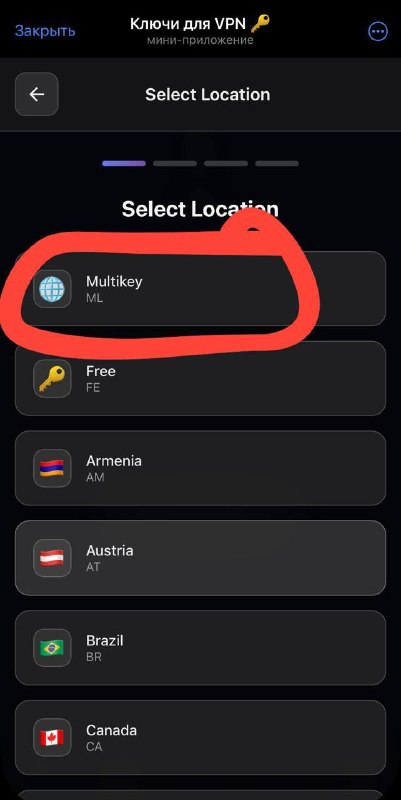
@OutlineKeysRobotin Telegram and tap "Open App". On the main screen tap "Create New Key" → choose "Multi-Key" (universal VLESS / Reality subscription for all devices).
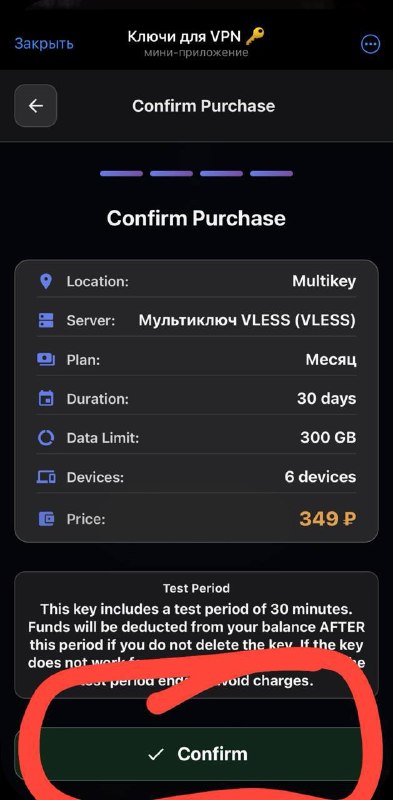
💡 30-Minute Free Trial: Before topping up your balance, you can activate a key for a 30-minute test period to verify speed and stability.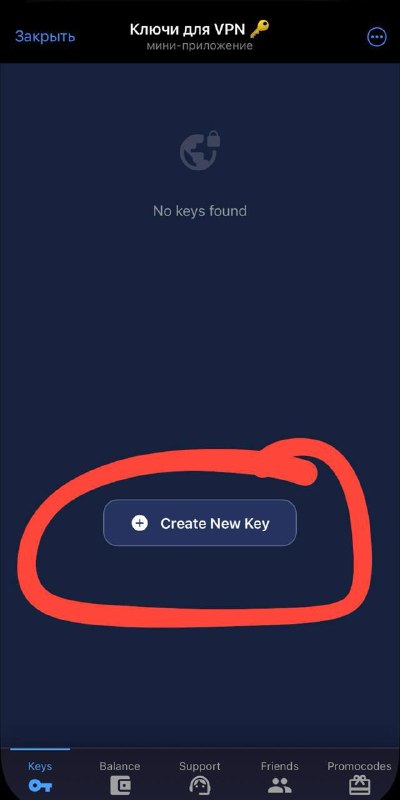
-
Step
Select a Plan, Rename Your Key & Copy Subscription Link
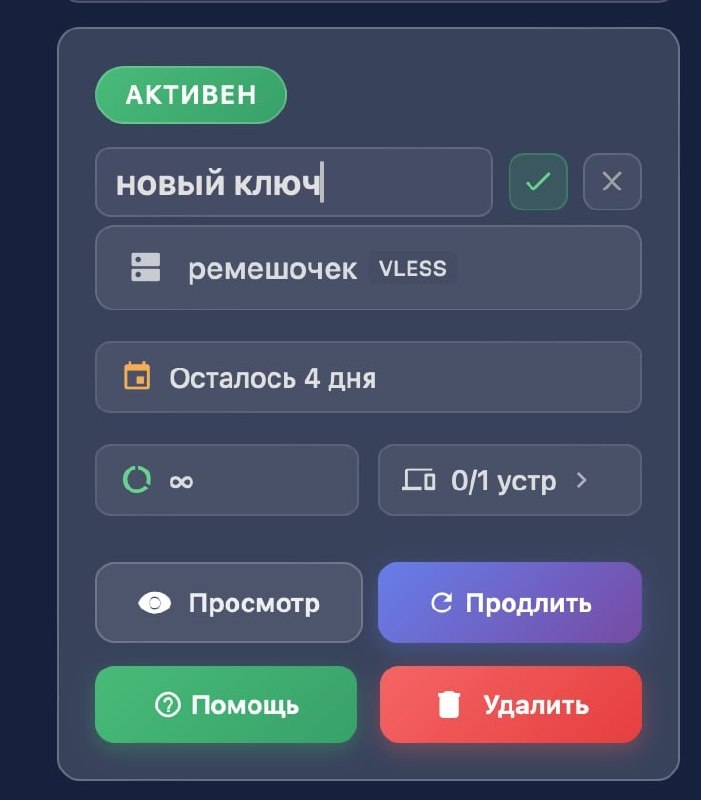
Pick your desired plan, confirm the purchase, and tap "Show Key". Choose your device app (such as INCY or Happ) for 1-click import, or copy the subscription URL. You can also give each key a custom name (e.g., "My iPhone" or "Work Laptop").
-
Step
Add Extra Rollover GB (3 RUB / GB) & Device Slots (50 RUB / Device)
Need more data or device slots? Inside your key settings you can purchase add-ons:
• Extra Data — 3 RUB per 1 GB. Non-expiring rollover GB: unused traffic rolls over to the next month when your subscription renews!
• Extra Device Slot — 50 RUB per device. Increases the HWID device limit for your subscription.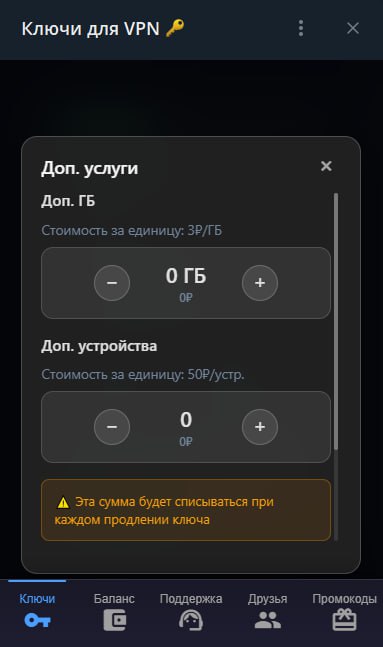
-
Step
How to Choose the Best Server (🌟 AI Nodes, Europe, Mobile White-Lists)
Your subscription includes specialized locations:
• Star Icon 🌟 (Germany, Poland): Tuned specifically for AI tools (ChatGPT, Claude, Gemini, Midjourney).
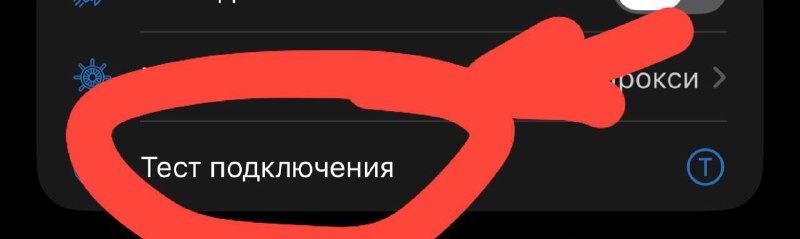
• Low-Ping Europe (Netherlands, Finland, France, Poland): Best for 4K YouTube, Instagram, and daily browsing. Tap the ping test button in your app and pick the lowest green number (ms).
• Russian Flag 🇷🇺 ("White Russian"): Use only on mobile networks under strict carrier white-list restrictions. Do not use RU nodes to access services blocked inside Russia (like Instagram).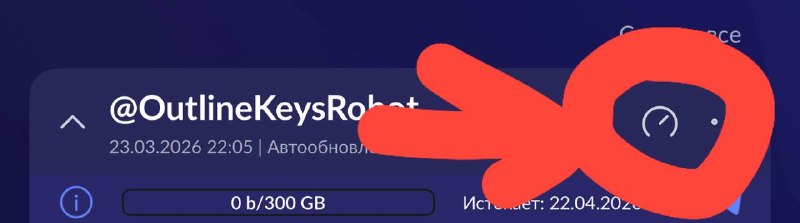
-
Step
30% Referral Program & Custom Promo Codes
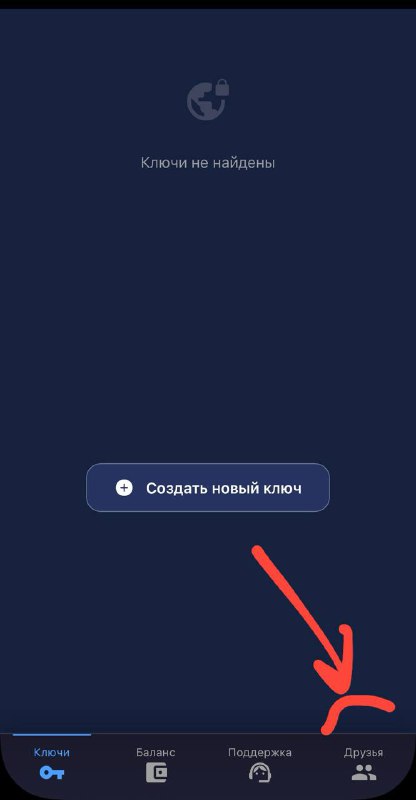
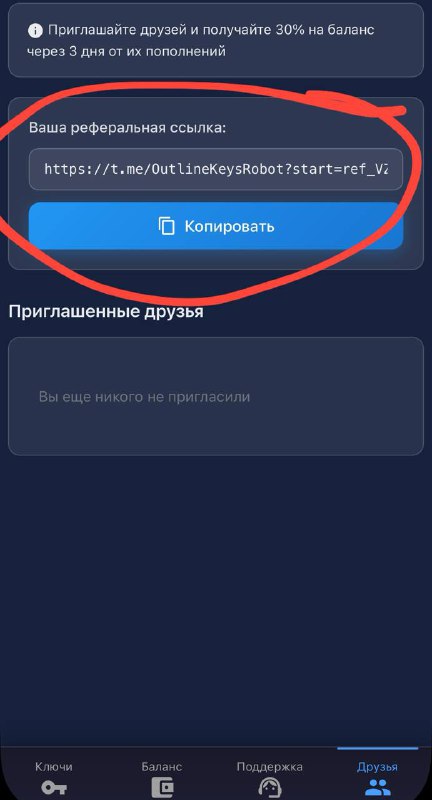
Open the "Friends" tab in the bot to get your personal referral link. You earn 30% of every top-up made by invited friends! In the "Promo Codes" tab you can redeem bonus codes or create your own promo code to share.
Need Help?
Ask our instant AI Assistant trained on all @OutlineKeysRobot manuals, open the bot to manage your keys, or message our support team.