iOS & macOS · App Store Global
How to Change Your Apple ID (App Store) Region to Kazakhstan
Original INCY and Happ apps are unavailable in the Russian App Store. Change your App Store region to Kazakhstan without a credit card using the ready address below.
-
Step
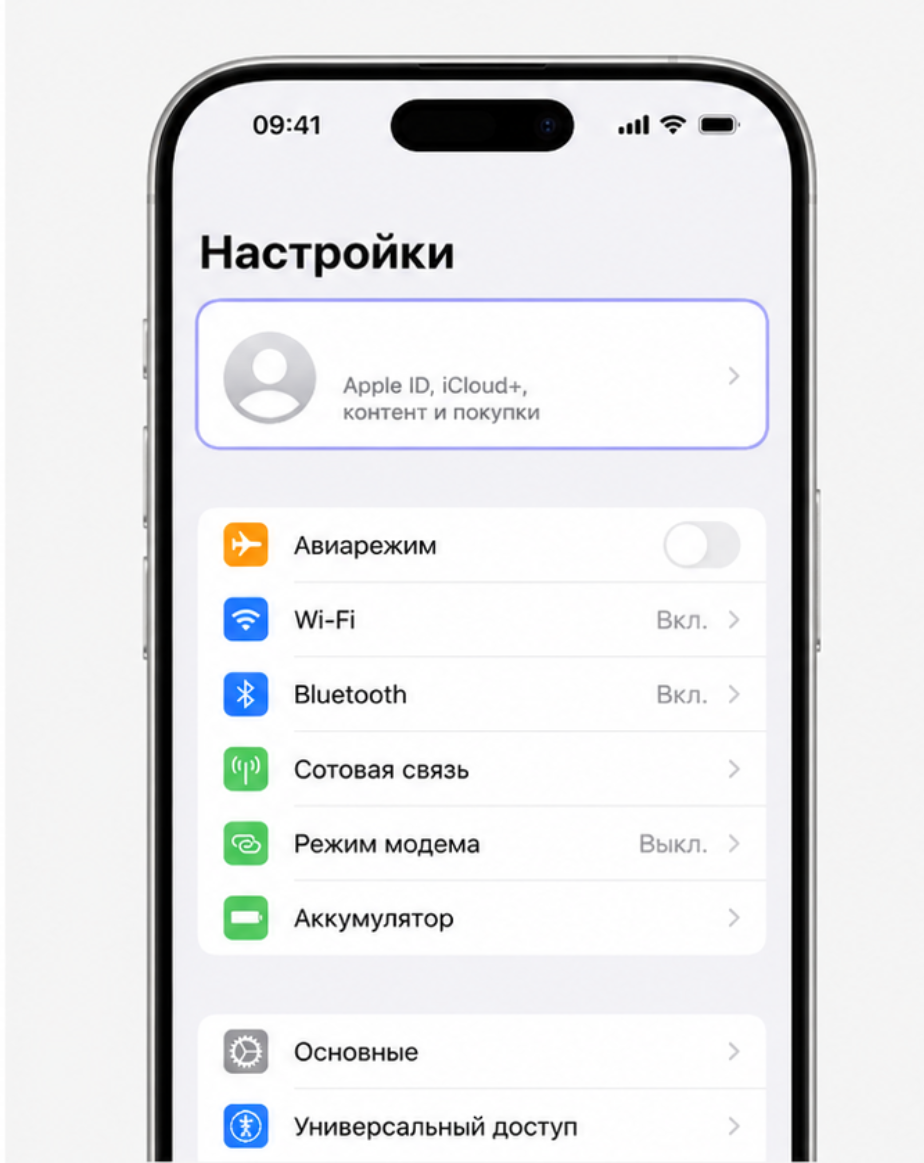
Open Apple ID in Settings
Open Settings on your iPhone or iPad and tap your name (Apple Account) at the top.
Warning: Do not download fake Happ apps from the Russian App Store!There are counterfeit apps named Happ in the Russian App Store. Never install them! Either use UXWay (available without changing region) or switch your App Store region to Kazakhstan first.
-
Step
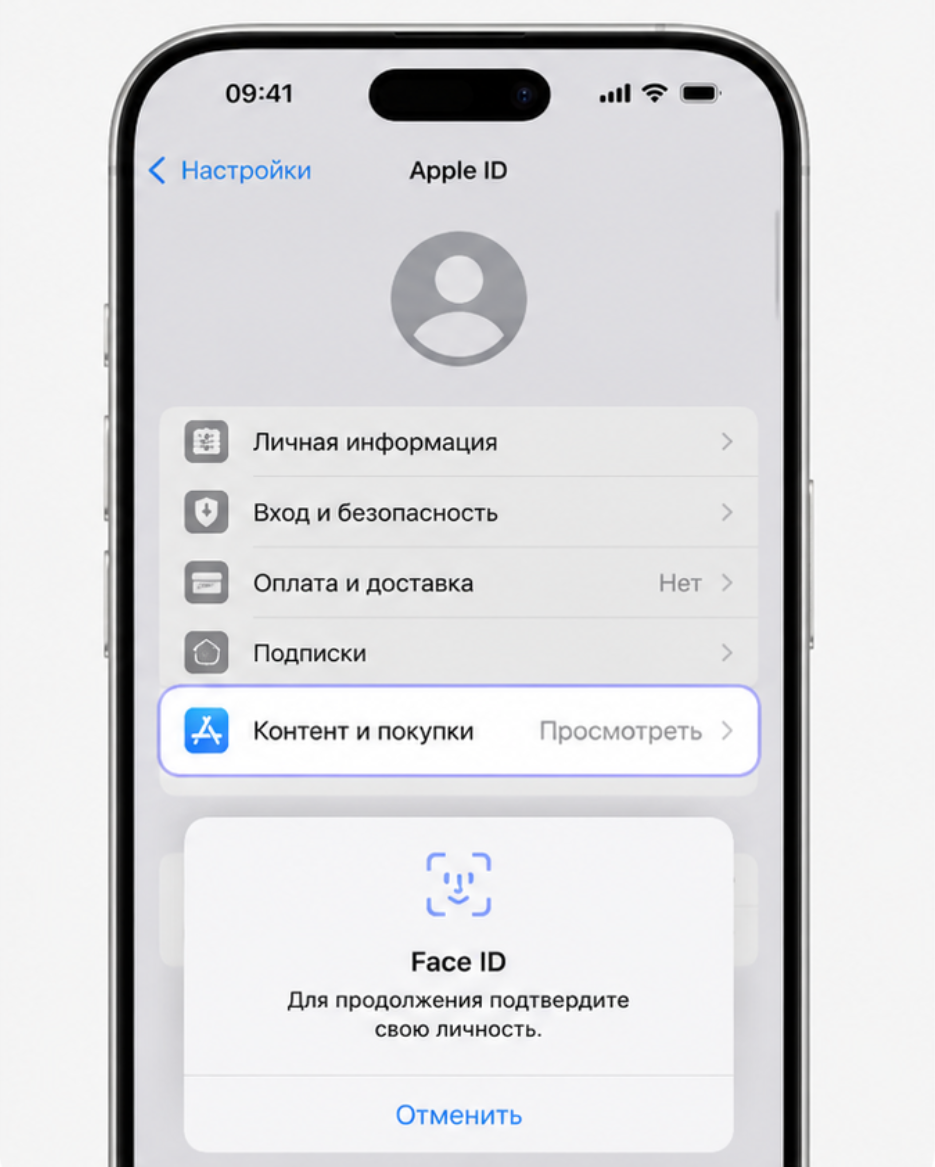
Tap Media & Purchases
Go to Media & Purchases → View Account and authenticate via Face ID, Touch ID, or password.
-
Step
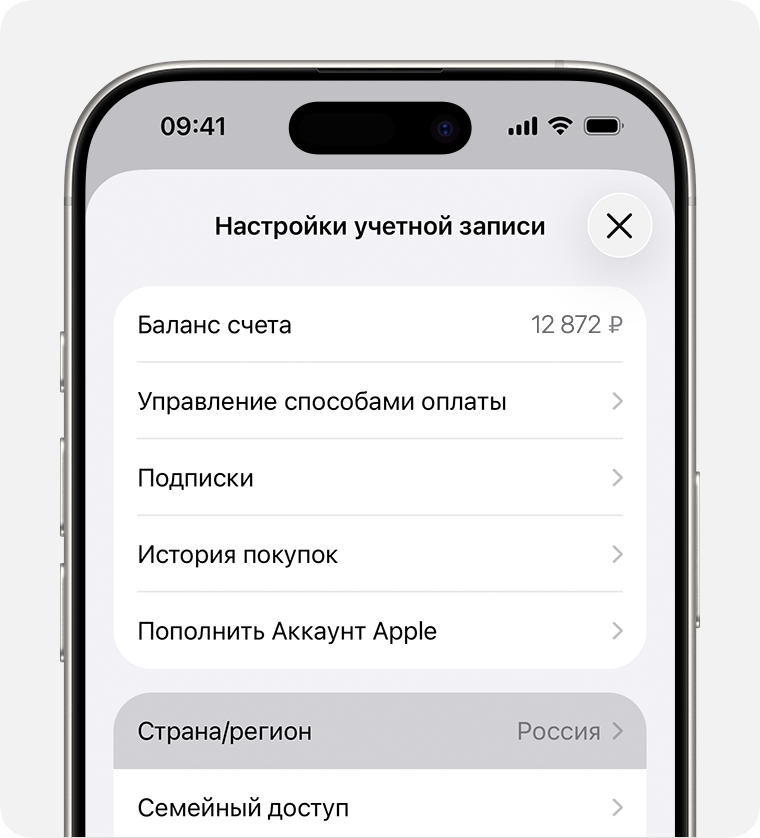
Select Country/Region
Tap Country/Region → Change Country or Region.
-
Step
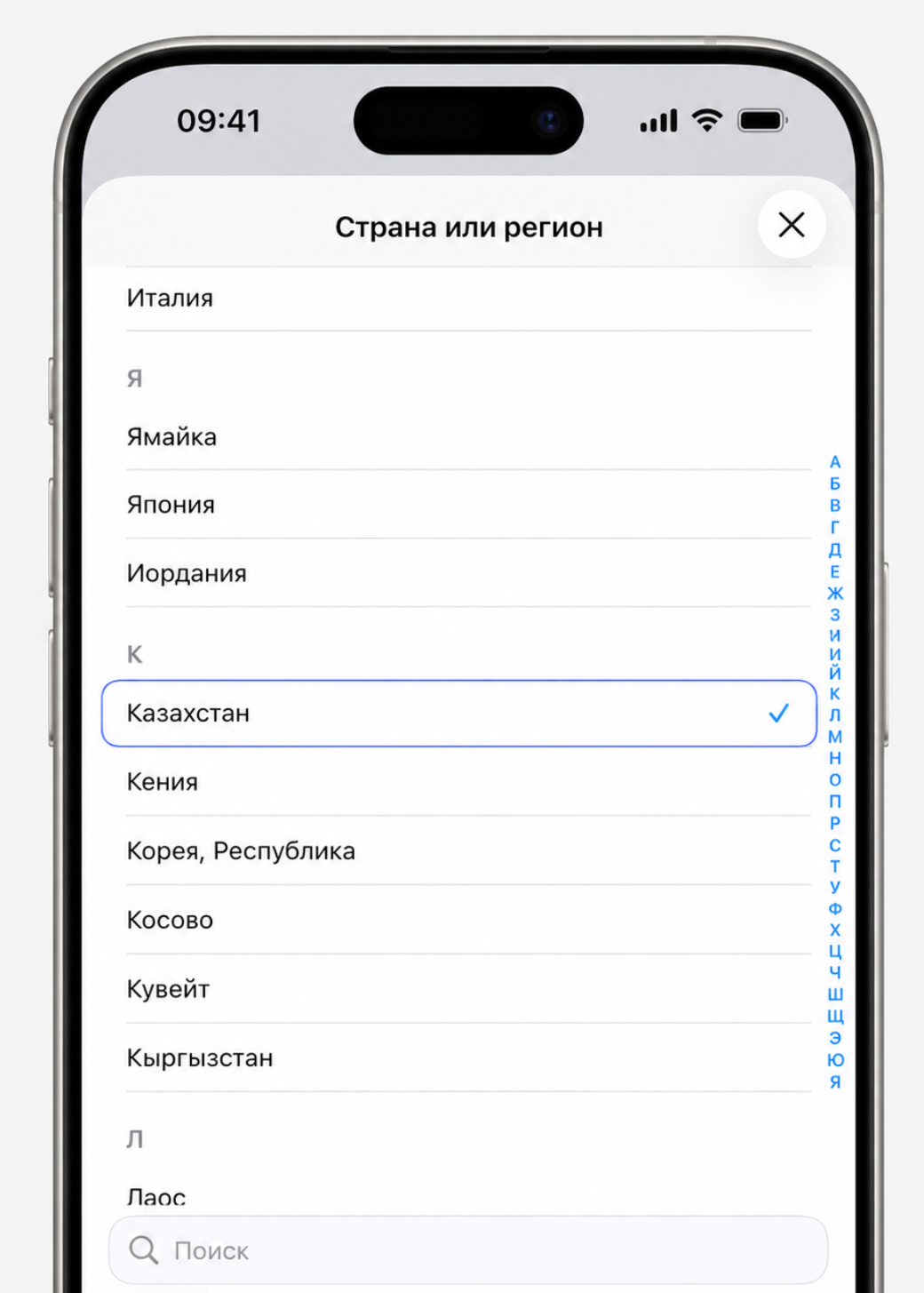
Choose Kazakhstan
Select Kazakhstan from the list of countries.
-
Step
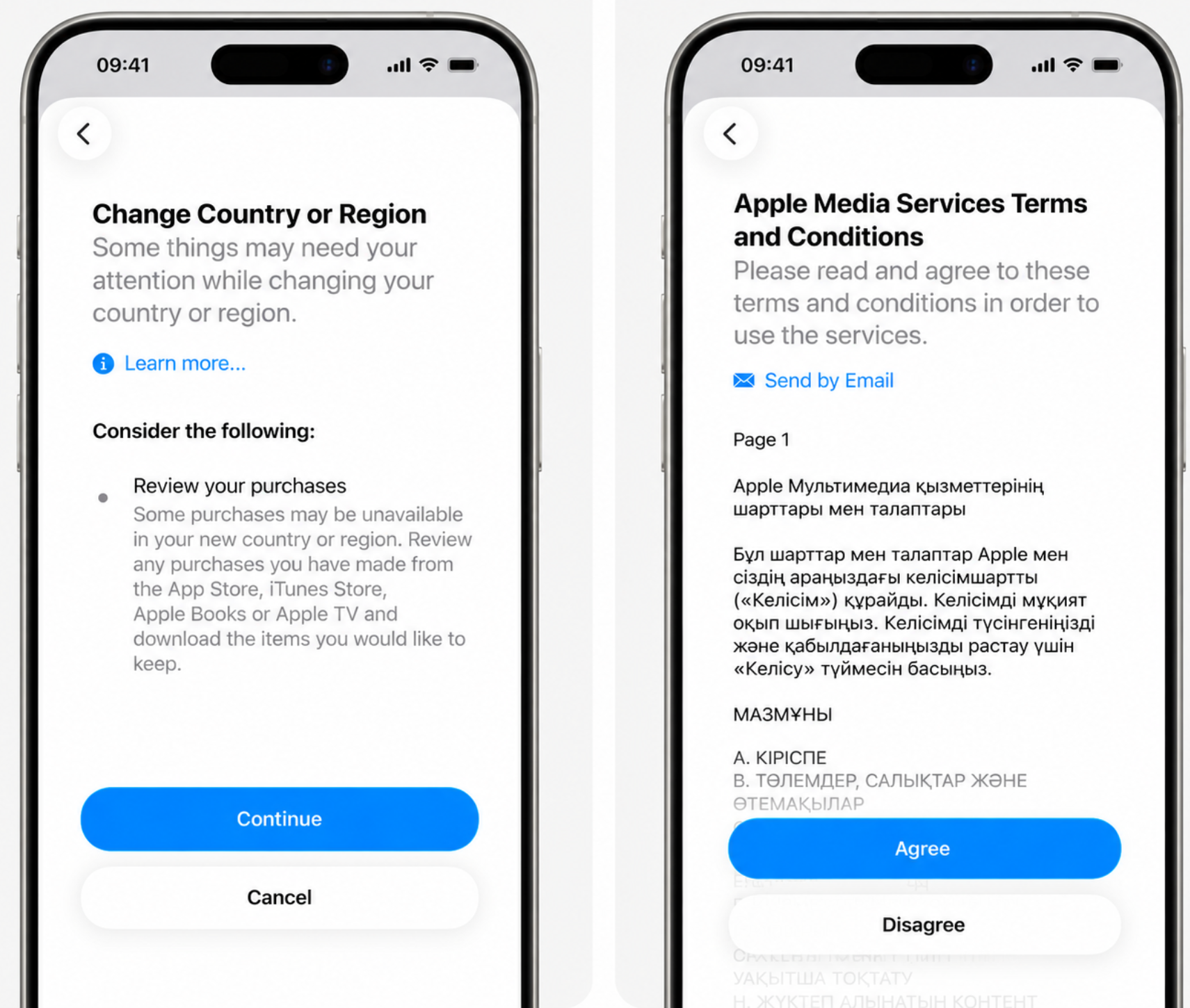
Accept Apple Terms & Conditions
Tap Agree in the top-right corner and confirm.
-
Step
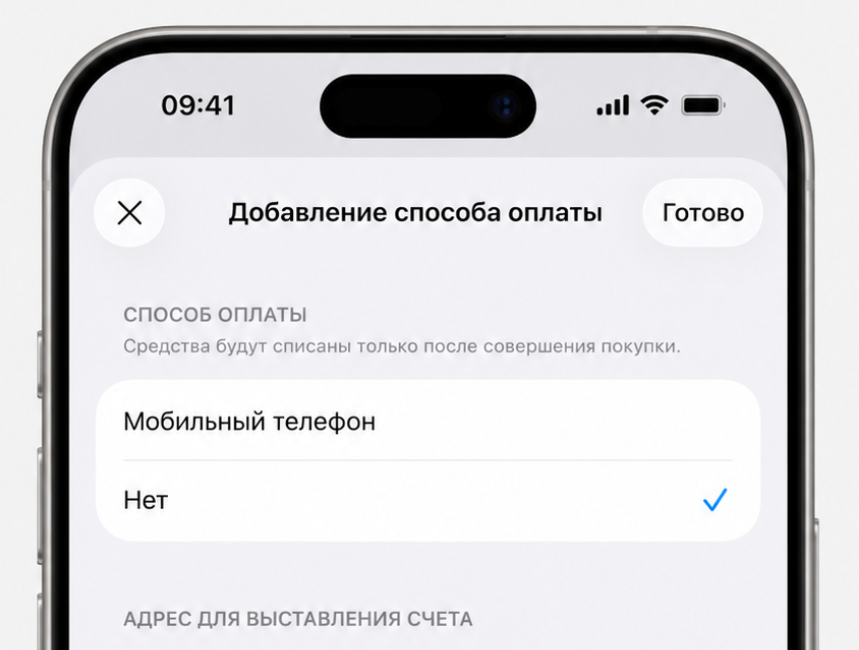
Select Payment Method "None"
Choose None under Payment Method.
-
Step
Enter the Billing Address (Ready to Copy)
Use these valid Kazakhstan details:
• Street:Astana
• City:Astana
• Region:Pavlodar
• Postcode:101000
• Phone:999 9999999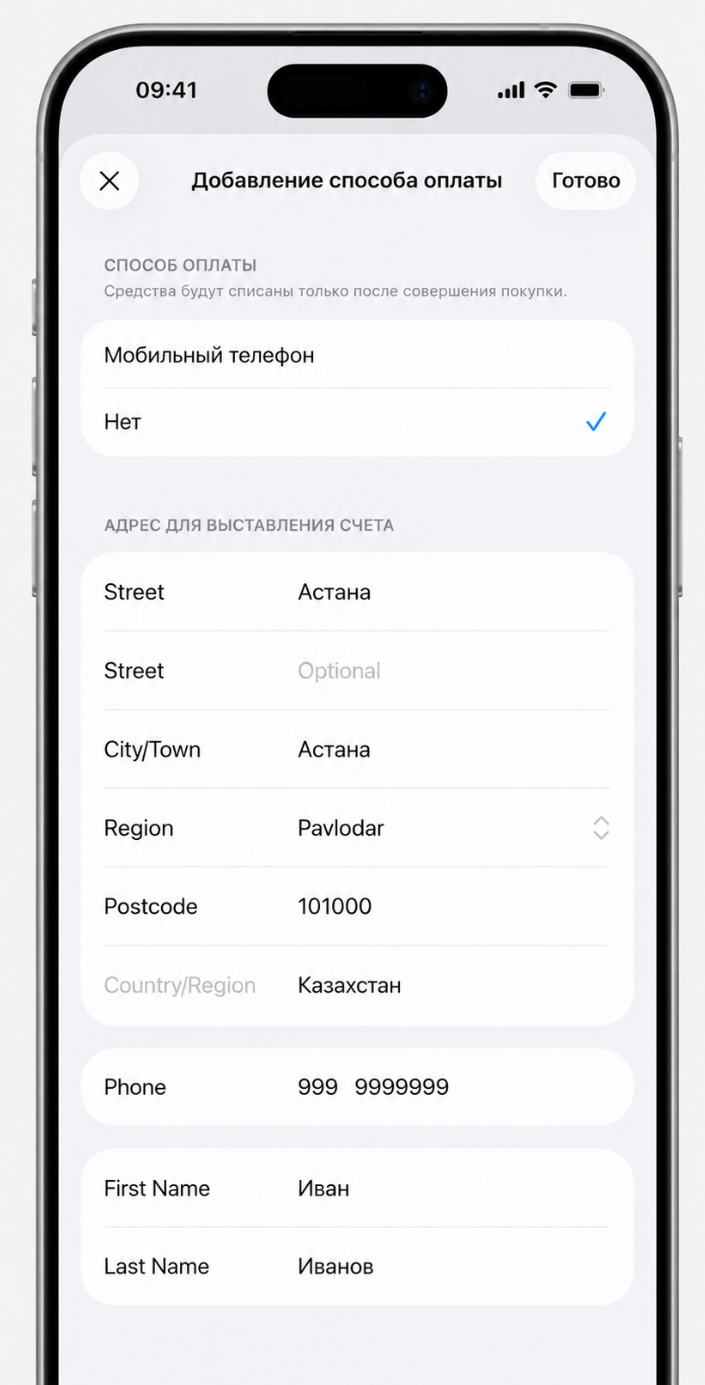
-
Step
Tap Next and Install INCY or Happ
Restart the App Store and return to our iOS or macOS guide to install the official INCY or Happ client.
Need Help?
Ask our instant AI Assistant trained on all @OutlineKeysRobot manuals, open the bot to manage your keys, or message our support team.