Troubleshooting · Telegram Calls
How to Fix Telegram Voice Calls & Media Using TUN Mode and Local SOCKS5 Proxy (127.0.0.1:10808)
Telegram voice and video calls rely on UDP. Here are two guaranteed methods to route Telegram calls and media through OOKVPN.
-
Step
Method 1. Enable TUN / Xray-TUN Mode
Ensure TUN mode is enabled in your VPN client (
Use Xray-TUNin INCY, orTUNtoggle in Happ/FlClashX) and connect to a European location. -
Step
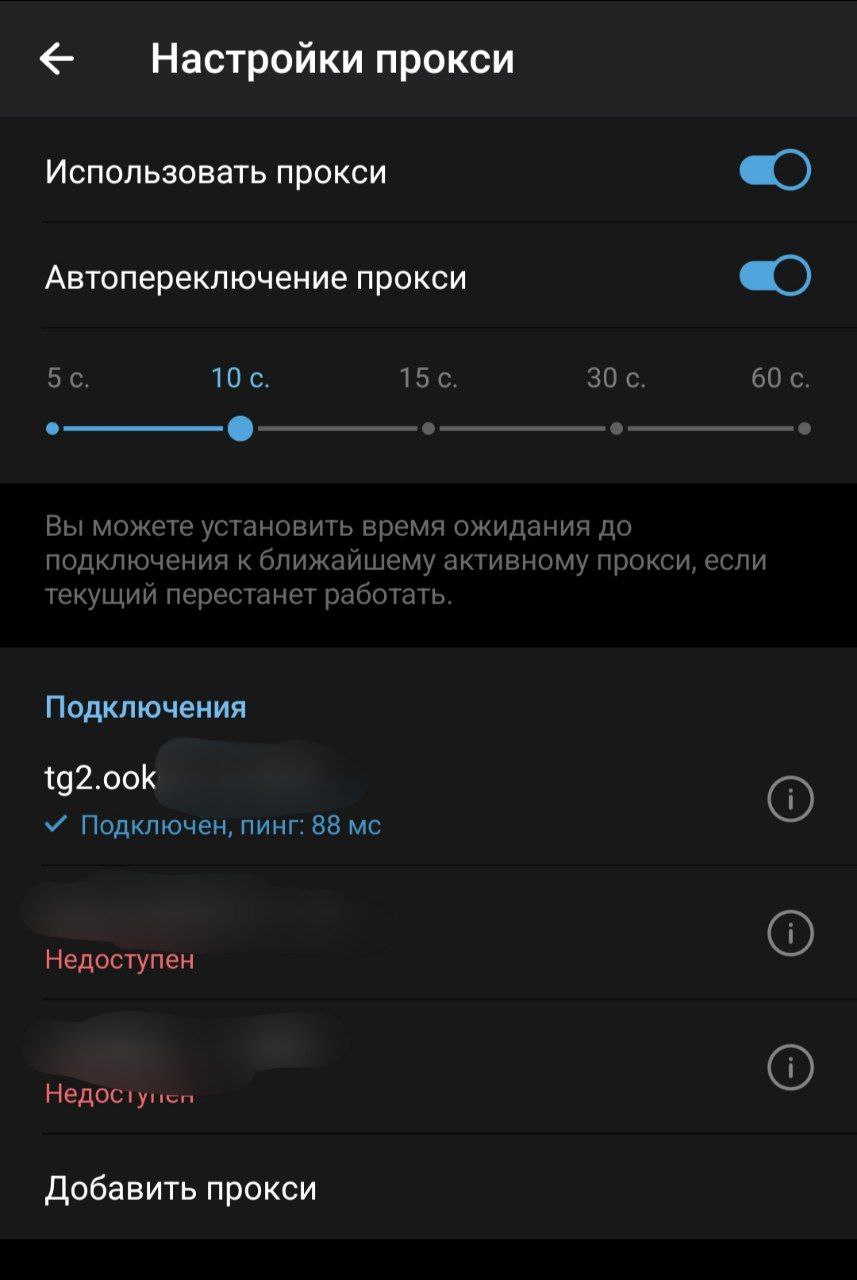
Method 2. Local SOCKS5 Bridge (127.0.0.1:10808) in Telegram
In Telegram → Settings → Data and Storage → Proxy → Add Proxy (SOCKS5), enter Server
127.0.0.1and Port10808(leave username/password blank).
Other Troubleshooting Articles
How to add steam.exe, cs2.exe, deadlock.exe & remote desktop apps to direct bypass in Happ & INCY
How to select the OutlineKeysRobot 4 JSON routing rule and update Happ (Xray >= 26.7.8)
Split tunneling setup across Happ, INCY, Shadowrocket, and Throne
Connecting to White Russian (Ultra Hysteria2, xHTTP, gRPC) & enabling tlshello fragmentation
1-click HWID reset, enabling Send HWID in Shadowrocket/Throne, and changing your subscription URL
How automatic P2P protection works and which apps seed P2P traffic in the background
No Limit mode in Happ, Xray-TUN in INCY, and recommended tvOS clients
Unblocking the virtual TUN adapter in Windows Defender Firewall and allowing apps in macOS Gatekeeper
Using the "Support" (🎧) → "+ New Ticket" tab inside @ookvpn and copying your HWID device list
Troubleshooting & Support
Browse our step-by-step troubleshooting articles below, ask our online assistant, or contact a live operator inside the @ookvpn Mini App ("Support" 🎧 → "+ New Ticket").